
Welcome to the New Fish World!
We have a special treat for you! You can now find even more exclusive items and a smoother experience by playing at playfishworld.com.
If you’ve been playing on Facebook, moving your account to our new home is easy. Be sure to move your account before September!
How to Move Your Account (Step-by-Step)
Follow these 6 easy steps to connect your Facebook account to playfishworld.com. It only takes a few minutes!
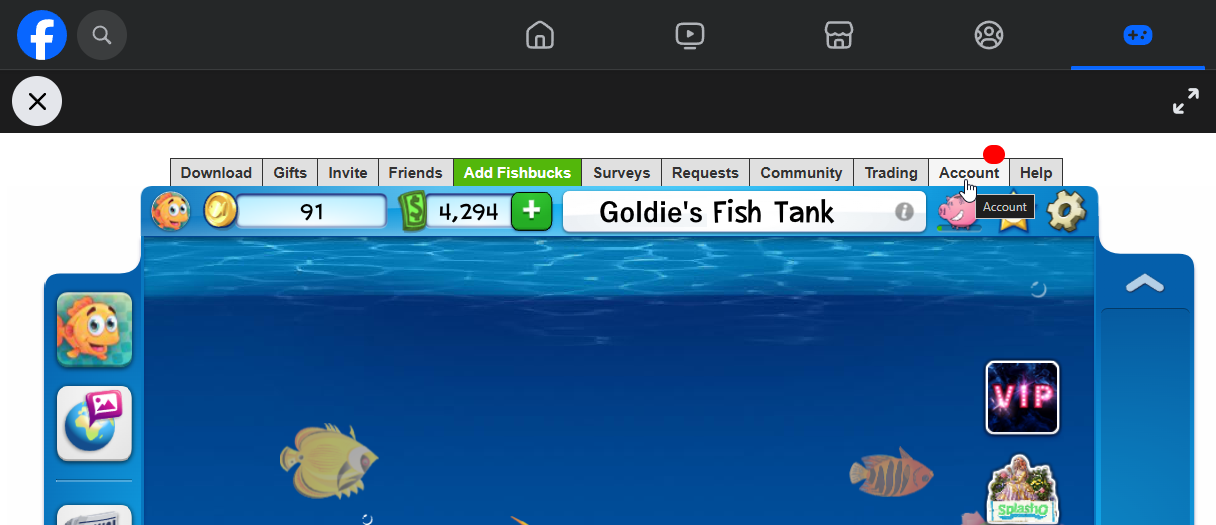
Log in to Fish World on Facebook as you usually do. Look along the top bar and click on "Account". This will open the Account → Settings tab by default.
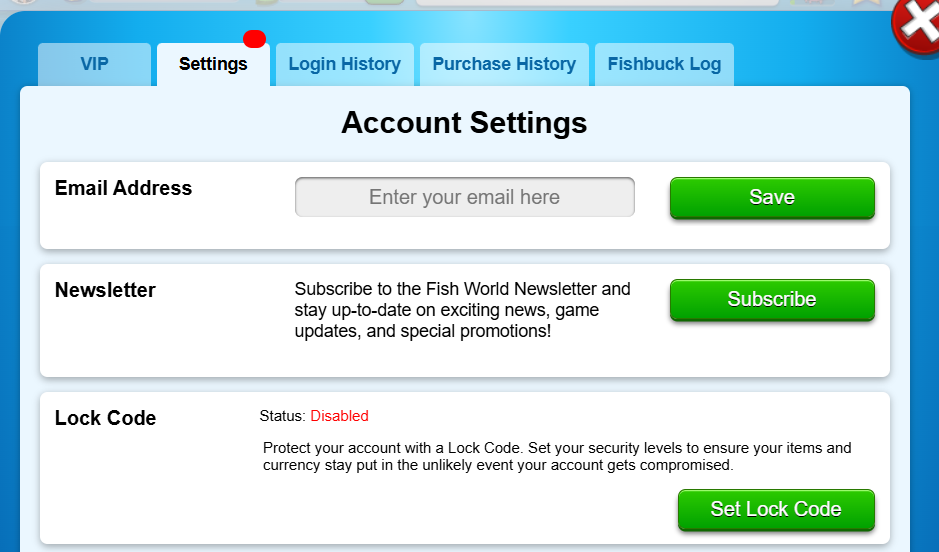
At the top of the Account Settings page, look for the "Email Address" section. If you have never set up your account for migration, the box will be empty and show "Enter your email here".
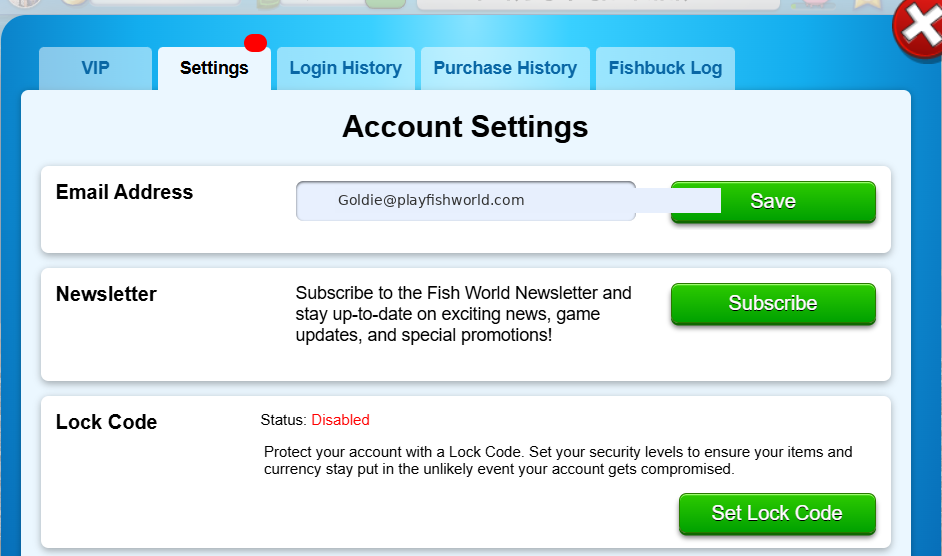
Type in any email address that you have access to, then click "Save".
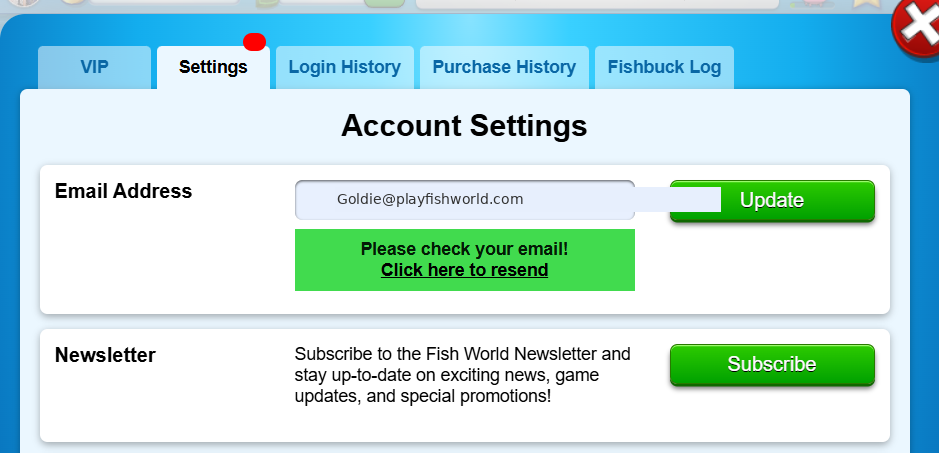
After clicking Save, the text under the email section will change to "Please check your email". Open the inbox for the email address you just entered.
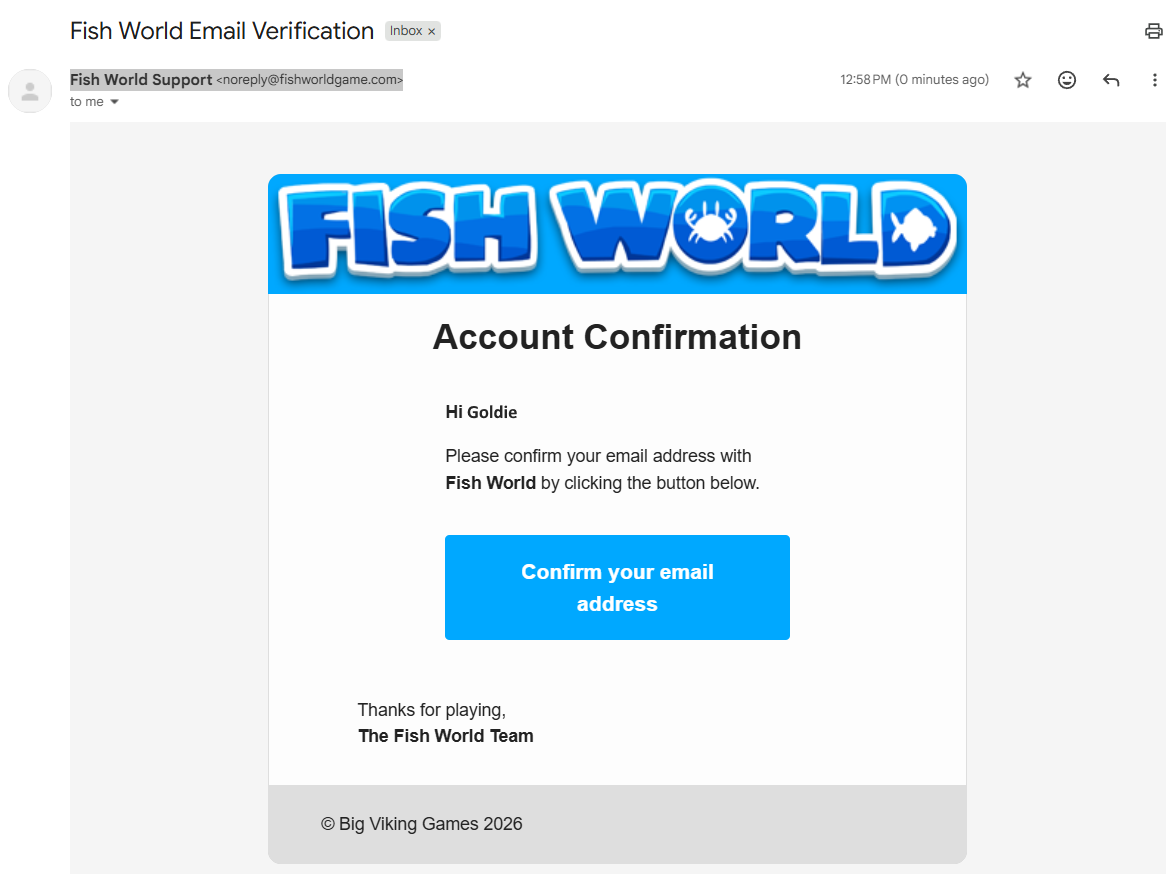
You’ll have a new email from Fish World Support ([email protected]). Open it and click the blue "Confirm your email address" button.
Don’t see the email? Check your spam or junk folder! If there’s still no email, please contact [email protected] for assistance.
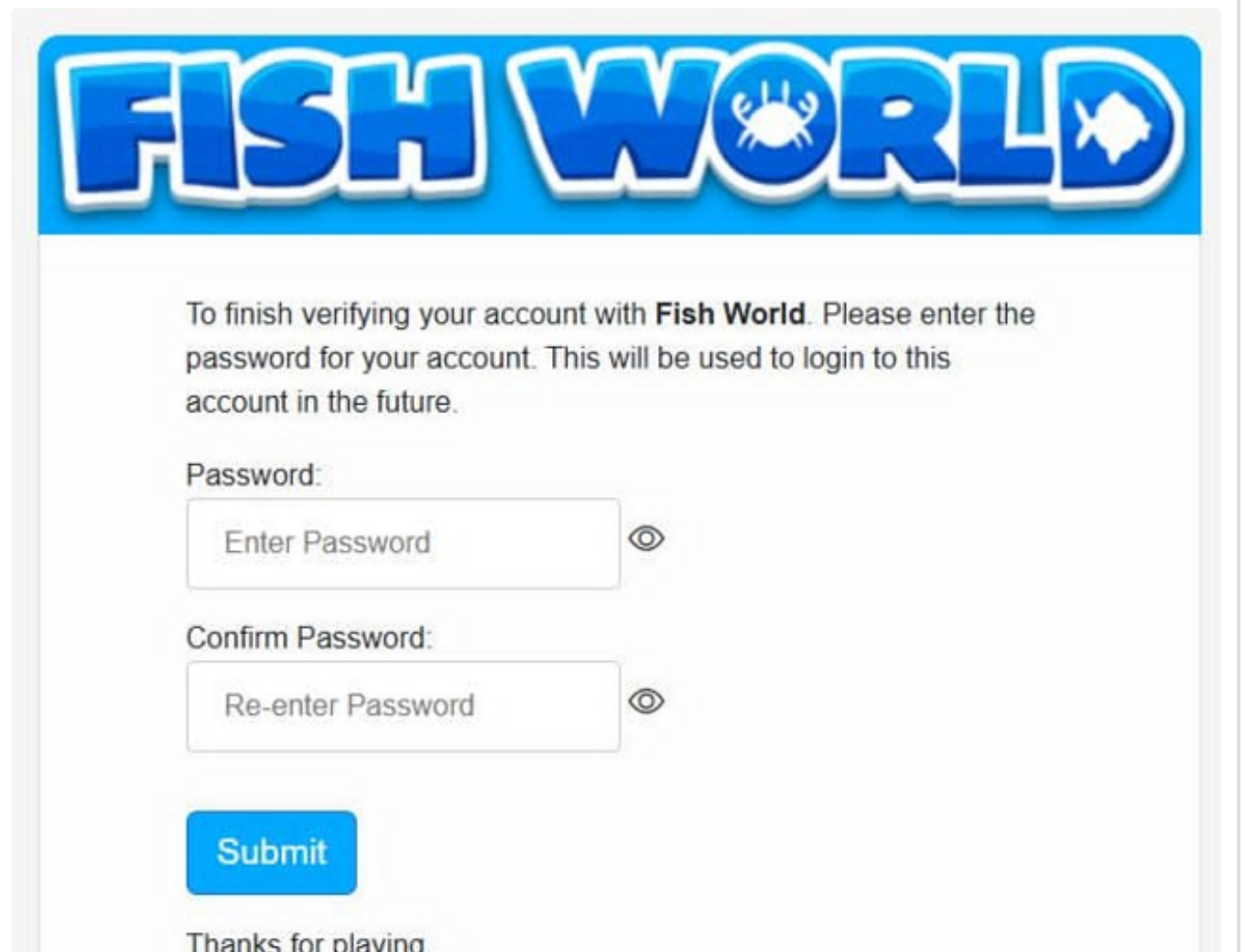
A new tab will open asking you to create a password. Enter your chosen password in both boxes and click "Submit". This is the password you’ll use to log in at playfishworld.com!
⚠️ Important: Your email does NOT have to be the same one used for your Facebook account. It can be any email address, as long as you have access to it. Many players get stuck here thinking it must match their Facebook email!
🎁 Rewards! After verifying, you’ll get a pop-up with free FishBucks and an item as a thank-you for migrating your account!
Log in to the New Website
Once you’ve completed the steps above, head over to playfishworld.com!
- Enter your Email: Type in the same email address you just verified in Fish World.
- Enter your Password: Use the password you created in Step 6 above.
Tip: If you can’t remember that password, don’t worry! Just click the "Forgot your password?" link. We will help you pick a brand-new one. - Click "Continue" and you’re all set!
❓ Frequently Asked Questions
We know you might have some questions before you start. Here are some answers to common questions we hear:
Is my Fish World account safe?
Yes, absolutely! Your account will be available on both the Facebook-browser version and desktop app AND the new playfishworld.com site at the same time. If you buy decos on one version, they will be available on the other version too! Any tanks you make on the new website will be available in the Facebook versions too.
Can I make purchases on the new website?
Yes, you can! Purchases and transactions made while playing on playfishworld.com are processed by either Stripe or Xsolla, and you can choose which one to use when you check out. Both are leading, highly secure payment providers trusted by businesses worldwide, and both use advanced encryption and security measures to keep your personal and financial information safe. Even if your payments were previously restricted by Facebook / Meta Pay, please give payments on the website a try!
Need Help?
If you run into any issues, please let us know by submitting an in-game help ticket, or emailing us at [email protected]. Please provide your User Account ID number in your email, and our Player Support Team will lend a fin and help you out as soon as possible!